

Hide a product temporarily in WooCommerce, Shopify and Wolt
· 4 minute read
A product’s season is over, or a model sold out and new stock is on its way. You don’t want customers to see it, but you don’t want to delete it either, because it’s coming back in two months. When it sells on your website, on Shopify and on Wolt, that means going into each store to take it down, and then remembering to bring it back in each one.
Where to hide it
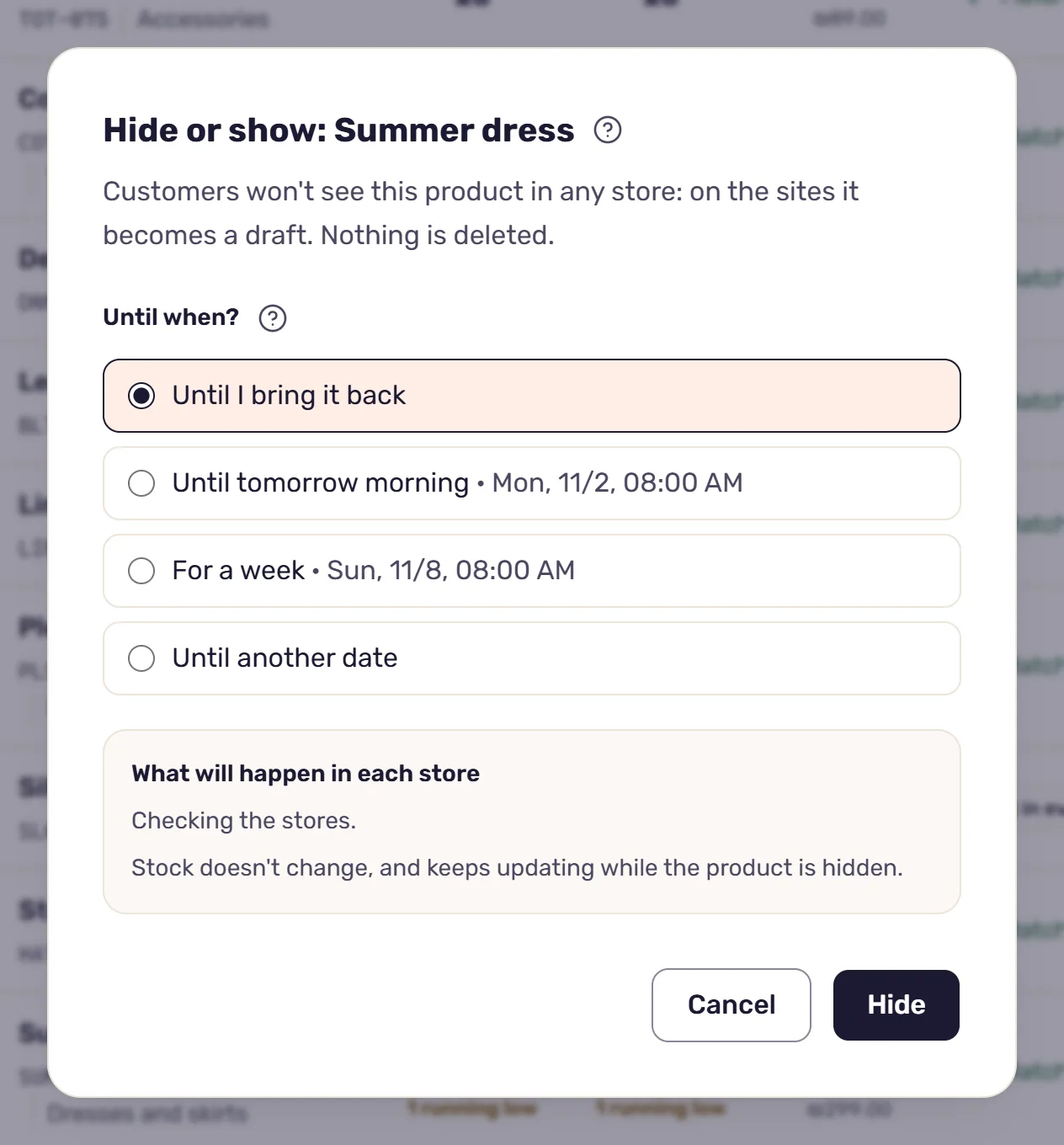
On the inventory screen, open the row’s menu (the three dots) and choose “Hide in all stores”. To hide several products together, tick them and click “Hide or show” in the bar that appears when products are ticked.
Before anything happens, the window shows “What will happen in each store”: how many products will become drafts, how many will close on Wolt, and what stays as it is, and why. Only an owner or an admin can hide products.
On the sites: the product becomes a draft
On WooCommerce and Shopify, a product customers can see becomes a draft. The system reads it back from the store, and the change counts only when the store answers that it is a draft. A product that wasn’t shown there anyway, a draft or private, stays as it is.
The system leaves the trash out of this on purpose. A product in WooCommerce’s trash, or in Shopify’s archive, reads to it as removed: it leaves the inventory screen and loses its link to the same product in your other stores. A draft stays in the store as it is, and stays on the inventory screen, linked and syncing. Customers just don’t see it, and when it comes back, it’s the same product it was in each store.
If a store didn’t take the change, the window says which store and why.
On Wolt: the item and its sizes close
A Wolt venue has no drafts, so the product is closed there: the item itself and all its sizes, whatever the stock. Wolt takes an update like this every quarter of an hour, so closing takes up to 15 minutes. And every day the system tells Wolt again that the item is closed.
On Wolt every item and every size is known by its SKU, so a product with no SKU on Wolt can’t be closed from here. The window says so beforehand.
While the product is hidden, its sizes on Wolt can’t be opened or closed from here, and its item can’t be shown on Wolt alone. To bring it back on Wolt, you show it again in all stores. How the venue is updated on a normal day is in the article on Wolt and your website.
For how long
In the window you choose how long: “Until I bring it back”, “Until tomorrow morning”, “For a week” or “Until another date”, where you set a date and a time. “Until tomorrow morning” and “For a week” bring it back at 08:00. Times are Israel time, and you can pick up to 90 days ahead.
On the inventory screen a hidden product is marked “Hidden”, or “Hidden until” with the date. In its stock editor there’s a line that says until when, and two buttons: “Change date” and “Show now”.
How it comes back
By hand, from the same row menu: “Show again in all stores”, or “Show now” in the stock editor. The sites are updated at once, and whatever didn’t go through appears in the window with the reason.
On the date you set, the product comes back by itself, on the sites within a minute or two. A store that didn’t answer is asked again after five minutes, up to three tries in all.
On the sites, only what was shown before it was hidden is published again. A product that was a draft before stays a draft, and a product someone changed in the store meanwhile, made private for example, stays as it is.
On Wolt, what was open before it was hidden opens again, except what the stock says can’t be sold now: a size that sold out while the product was hidden stays closed. Here too it takes up to 15 minutes.
Stock keeps going, and the log keeps track
Hiding doesn’t change the stock. While sync is on, quantities keep syncing between the stores while the product is hidden, as with any other product. How that works is in the article on syncing stock between WooCommerce and Shopify.
Each store gets its own line in the activity log: “Hidden” when the product was hidden there, and “Shown again” when it came back. A return on the date set reads “Shown again on the date set”, and a Wolt line is marked “Waiting for the store’s next turn” until the update goes out. Whatever didn’t go through is listed there with the reason.
Read next
· 4 minute read
Selling on Wolt and on your website? How stock stays right in both
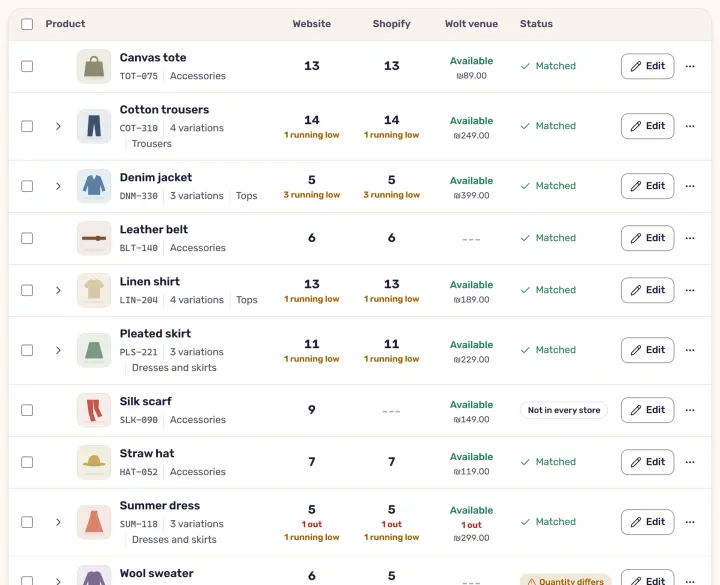
What StoreDuet updates on a Wolt venue and what it doesn’t, how a size sold out on your site closes on Wolt, and how a Wolt order lowers stock on your sites.
· 4 minute read
Inventory change history: who changed the stock, when, and whether it went through
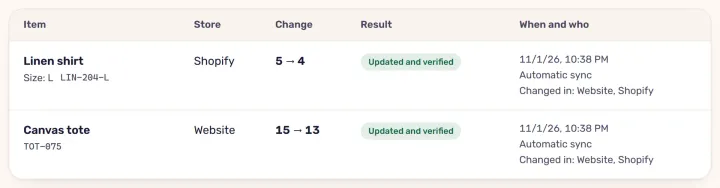
Every change StoreDuet sends to your stores is in the activity log: before and after, who made it, whether the store took it, and what to do when one fails.