

Selling on Wolt and on your website? How stock stays right in both
· 4 minute read
A Wolt venue works differently from an online store. It doesn’t count stock: each item, and each of its sizes, is either open for orders or closed. If you sell the same products on your website and on Wolt, you soon find that the two aren’t connected: the stock runs out on the site, and the item is still open on Wolt.
What the system updates on Wolt
Only availability: each size, or an item without sizes, is open or closed. Prices, quantities, names and pictures aren’t sent from here. The items themselves are set up on Wolt, and StoreDuet doesn’t add items to the menu.
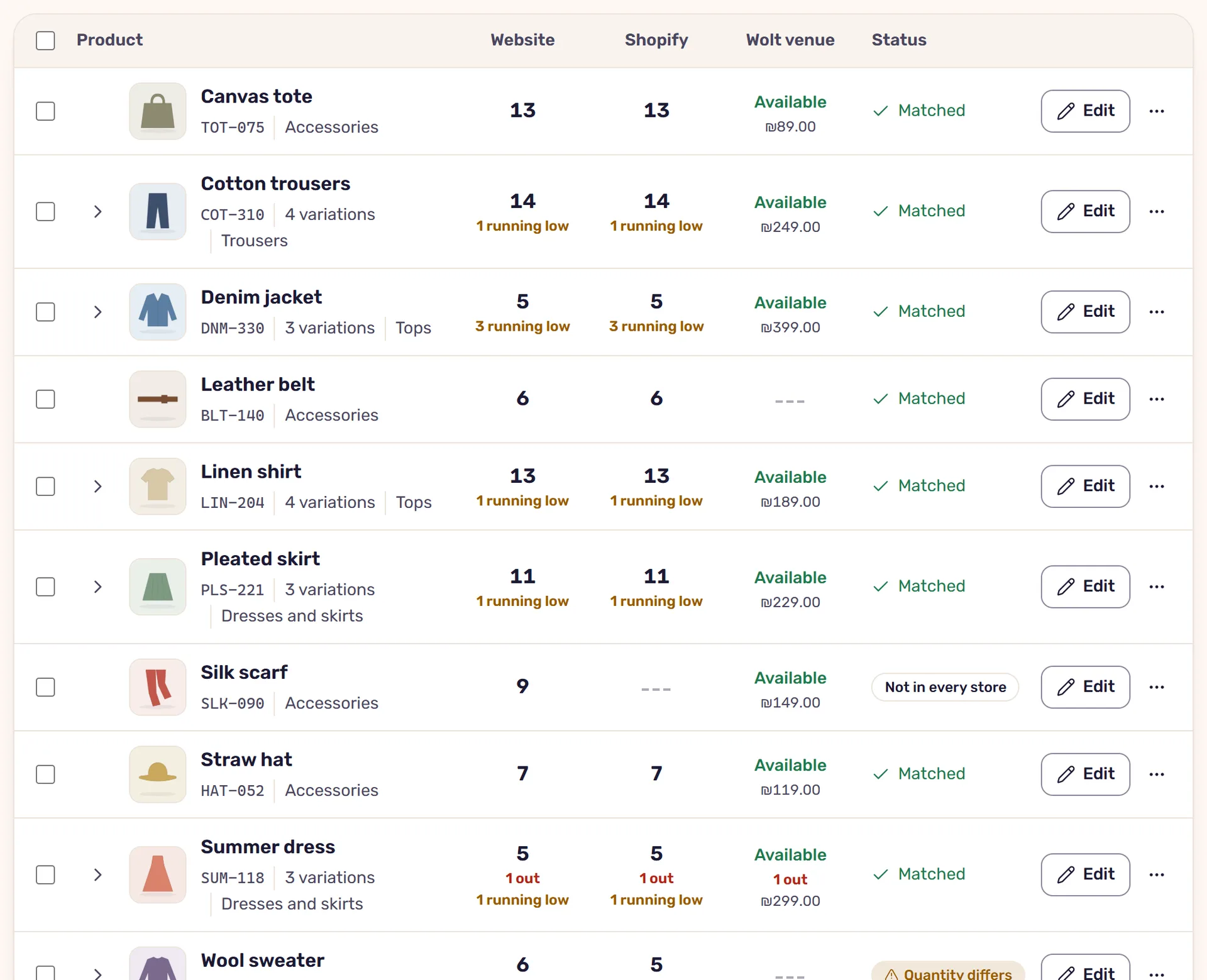
On the Inventory screen the venue has a column of its own. It shows whether the item is open for orders, and its price on Wolt. The price is read-only: a price sent to Wolt cancels a sale running there, so the system doesn’t send prices.
How Wolt knows something ran out
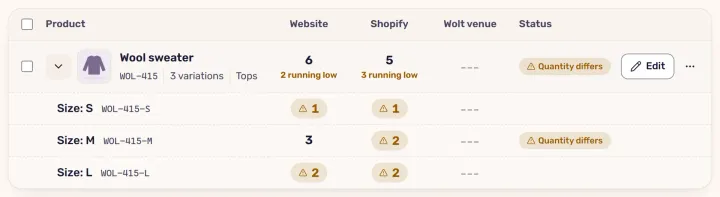
The venue follows the stores that count stock. When the sync is on, it goes by their shared stock. When it’s off, by the lowest quantity any one of them has. A size whose quantity reaches zero closes.
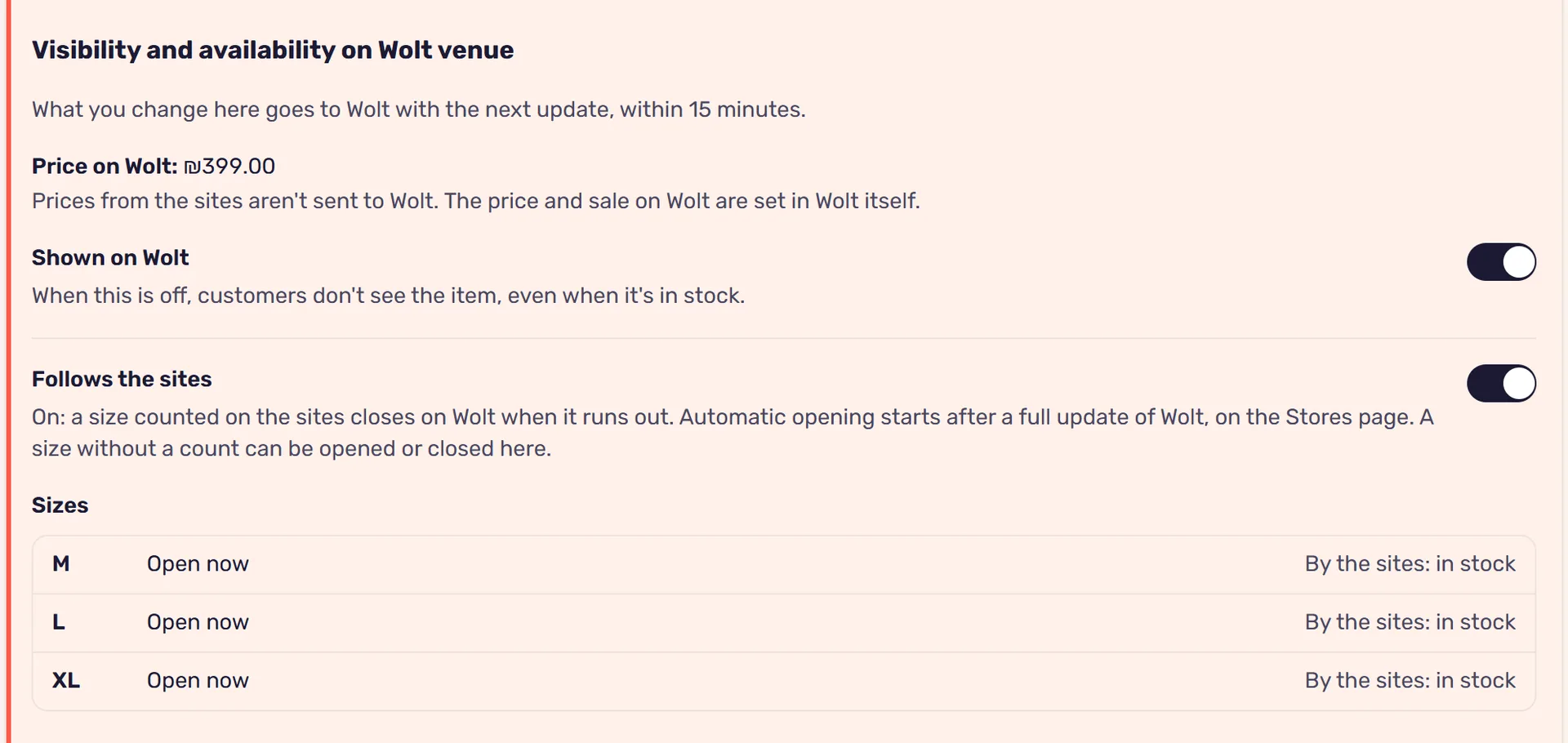
Automatic opening of a size that’s back in stock is off at first, so as not to open items the staff closed on purpose. You turn it on in the Wolt card on the Stores screen, after seeing what will open and what will close. Until then, you open a size that’s back in stock on Wolt itself.
Wolt asks to receive such updates no more than once every 15 minutes per venue, so a size that ran out on the sites closes on the venue within about 15 minutes. The system sends only what changed since the previous update.
A Wolt order lowers stock on your sites
When an order comes in at the venue, the system reads it and waits for it to be accepted. An accepted order lowers the quantity on the sites, and a cancellation returns it. An order that is still waiting doesn’t touch the stock, because it can still be rejected.
No SKU, no connection
On Wolt each size is identified by its SKU, and each item by the product’s SKU. For the system to know that size M on Wolt is size M on the site, the SKU has to be the same in both. A size without a SKU, or with a SKU that doesn’t exist on the sites, isn’t opened or closed from here. How to sort out SKUs across several stores is in the article on SKUs.
A safety buffer for the venue
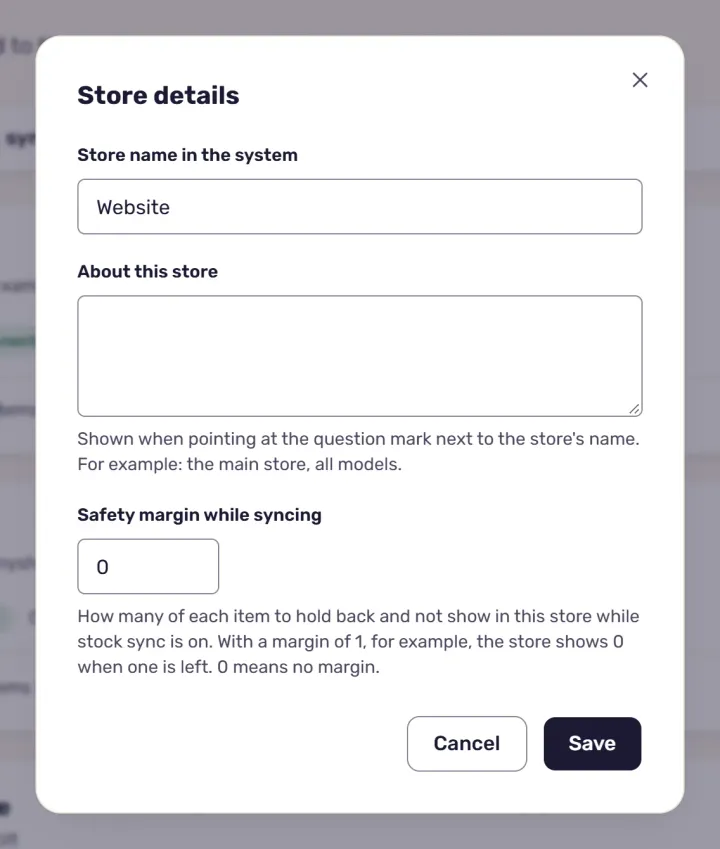
You can give the venue a safety buffer of its own: a size closes on Wolt when the quantity left is no more than the buffer, even if it’s still available on the site. It’s useful when Wolt orders come in fast and 15 minutes is a long time. More on this in the article on safety buffers.
Hiding an item by hand
In the stock editor you can hide an item on Wolt without touching the sites. A size the sites sell without a count, where there’s no way to know when it ran out, is opened or closed there by hand. The change is saved, sent with the venue’s next update, and recorded in the activity log.
When only one site is connected
Even without sync between sites, for example when only one site and a Wolt venue are connected, the system reads the site once an hour and updates the venue by what it has.
Read next
· 3 minute read
A safety buffer for your stock: what it is, and when it’s worth it
A safety buffer holds a few units back and doesn’t show them in the store, so the last unit isn’t sold twice. How it works in StoreDuet, and how many to set.
· 4 minute read
Overselling: why you sell a product that has run out, and how to prevent it
Overselling happens when a store doesn’t know a product ran out elsewhere. Why, and how StoreDuet closes the gap: sync, a safety buffer and checked updates.